
Every modality you run
X-ray, CT, MRI, ultrasound, Doppler, echo, mammography, DEXA, OPG, PET-CT, nuclear medicine, fluoroscopy and IVP.
Part of the Cohezo Health lab software: scans booked like tests, DICOM images on the study, and signed reports on WhatsApp.
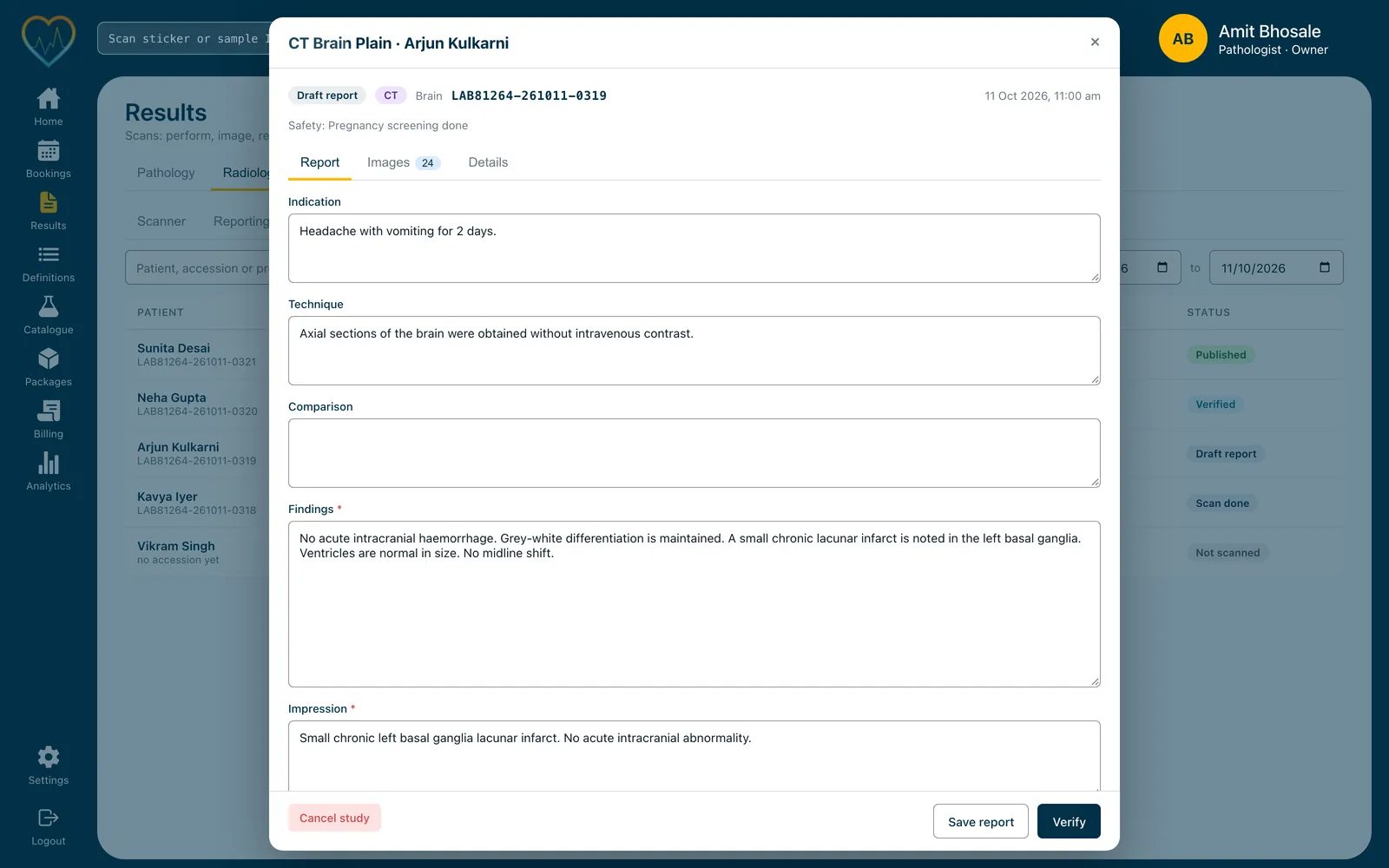
Pathology and radiology are one Cohezo Health lab software. The front desk books a scan the way it books a test, on the same bill, the radiographer uploads the images, and the radiologist reports and signs.
Every step is recorded on the study: who scanned it, who reported it, and when it was signed and sent.
The signed report goes to the patient on WhatsApp and into their records, where the referring doctor sees it next to their pathology results.
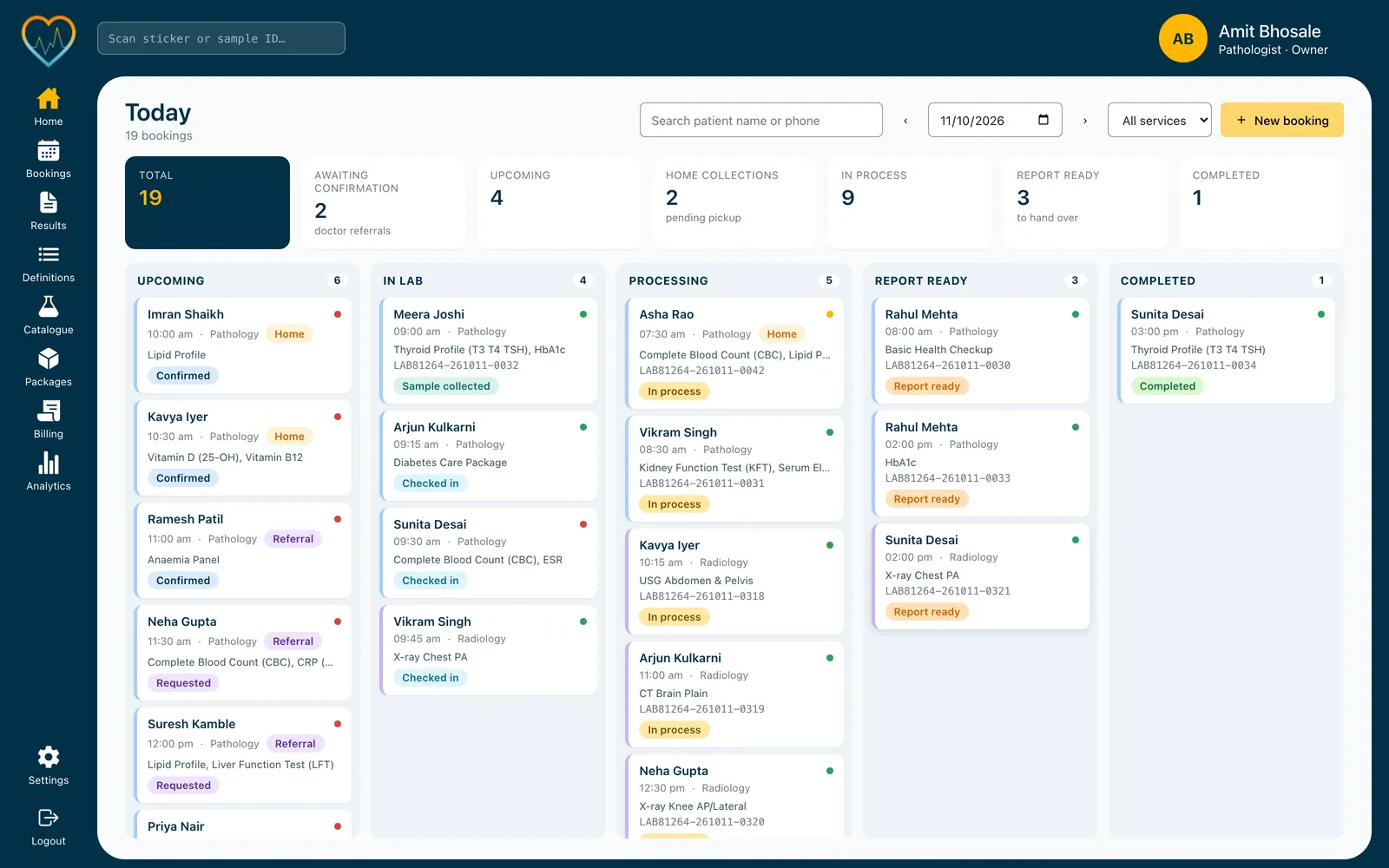
X-ray, CT, MRI, ultrasound, Doppler, echo, mammography, DEXA, OPG, PET-CT, nuclear medicine, fluoroscopy and IVP.

Upload a .dcm file or a zipped series against the scan, open it in the viewer, and pick up to six key images to print on the report.

The radiologist signs, and the report reaches the patient's WhatsApp, automatically on publish if you want it to.
Each person works on the same study, so the report knows which images, which template and which radiologist it came from.
A radiographer can upload images but never write a report. Only a signatory radiologist can verify and publish.
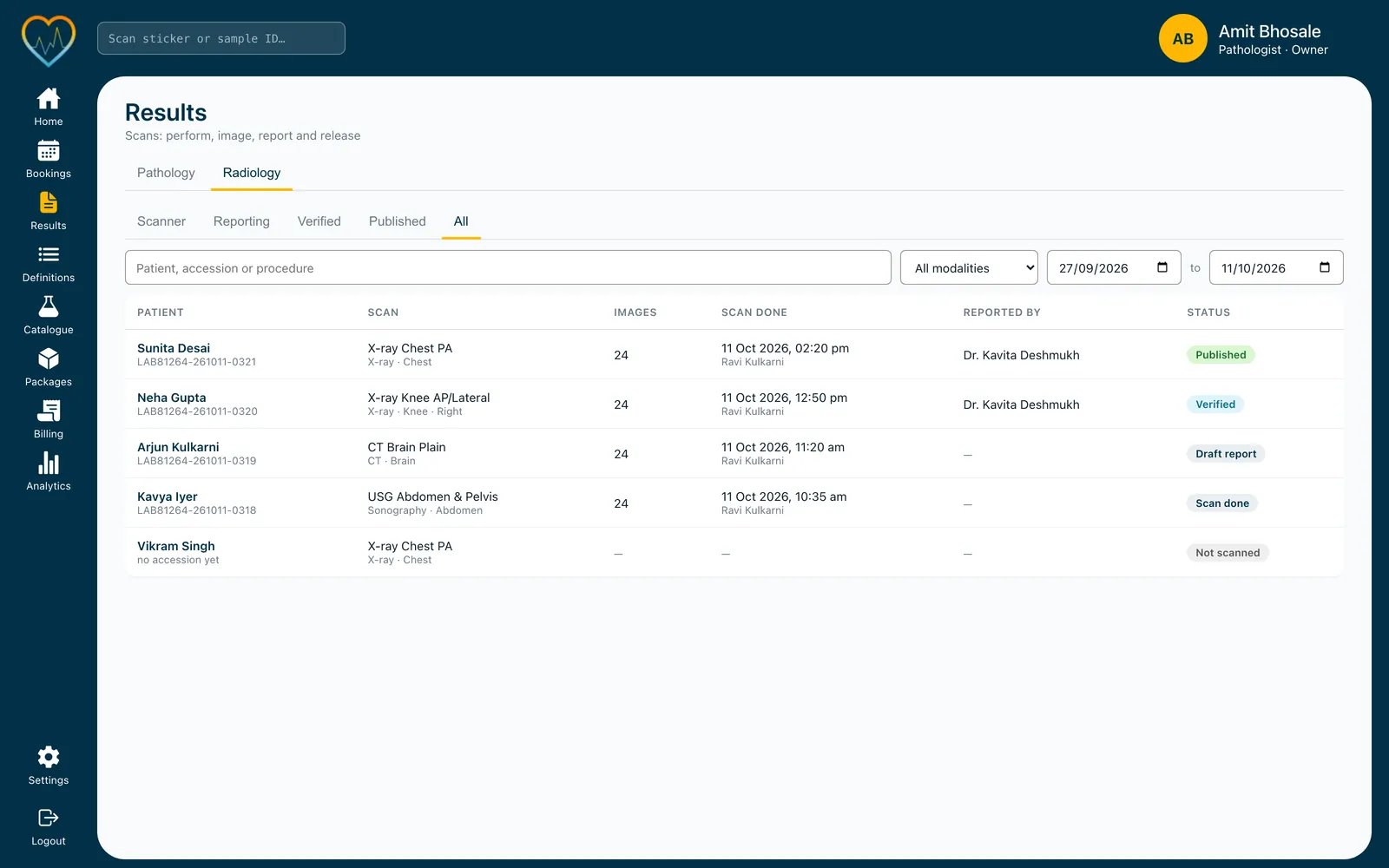
Scanner, reporting, verified and published queues, with the images on each study, when the scan was done, by whom, and who reported it.
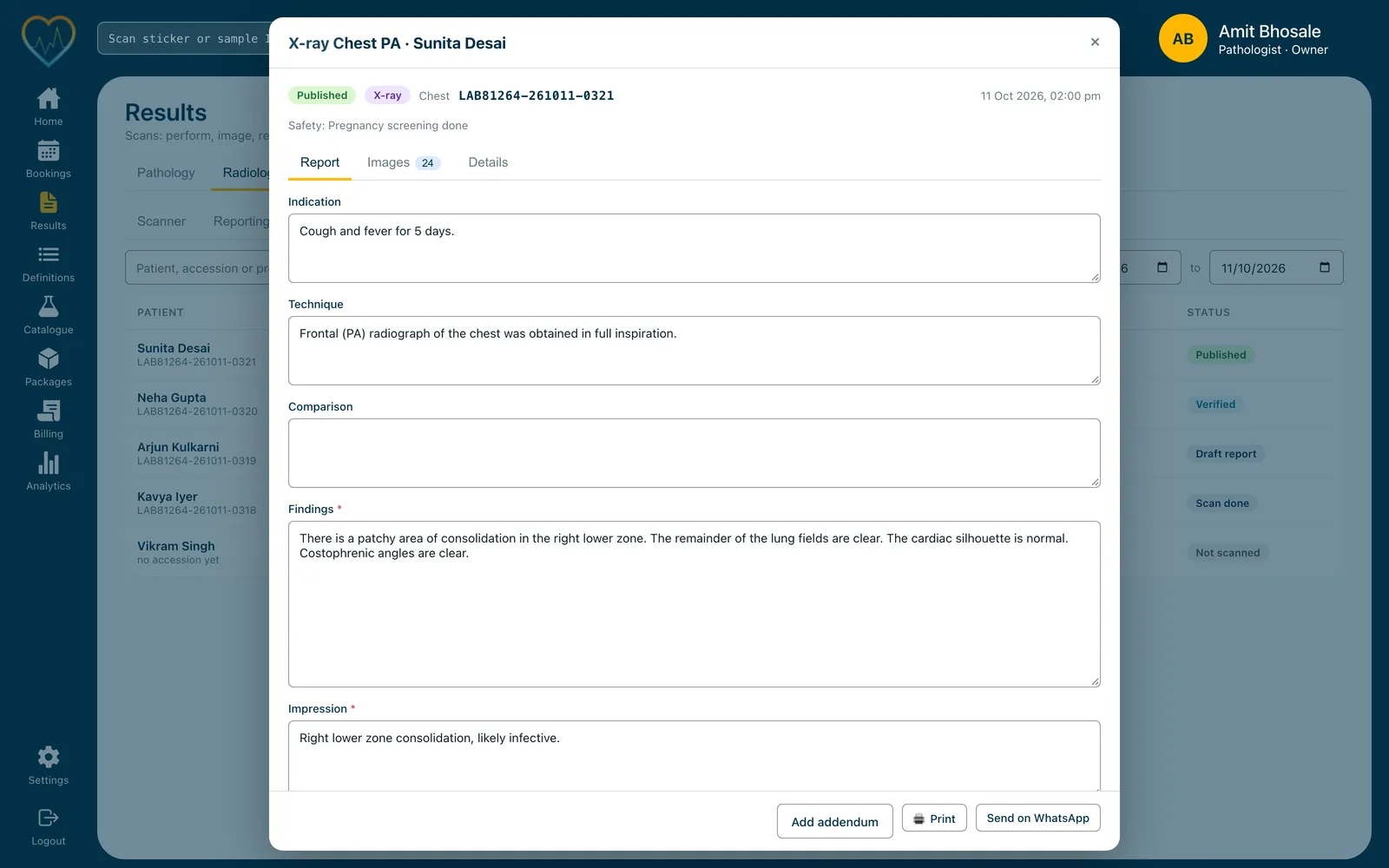
A published report is printed or sent on WhatsApp from the study. A correction goes on as an addendum, never as a silent edit.
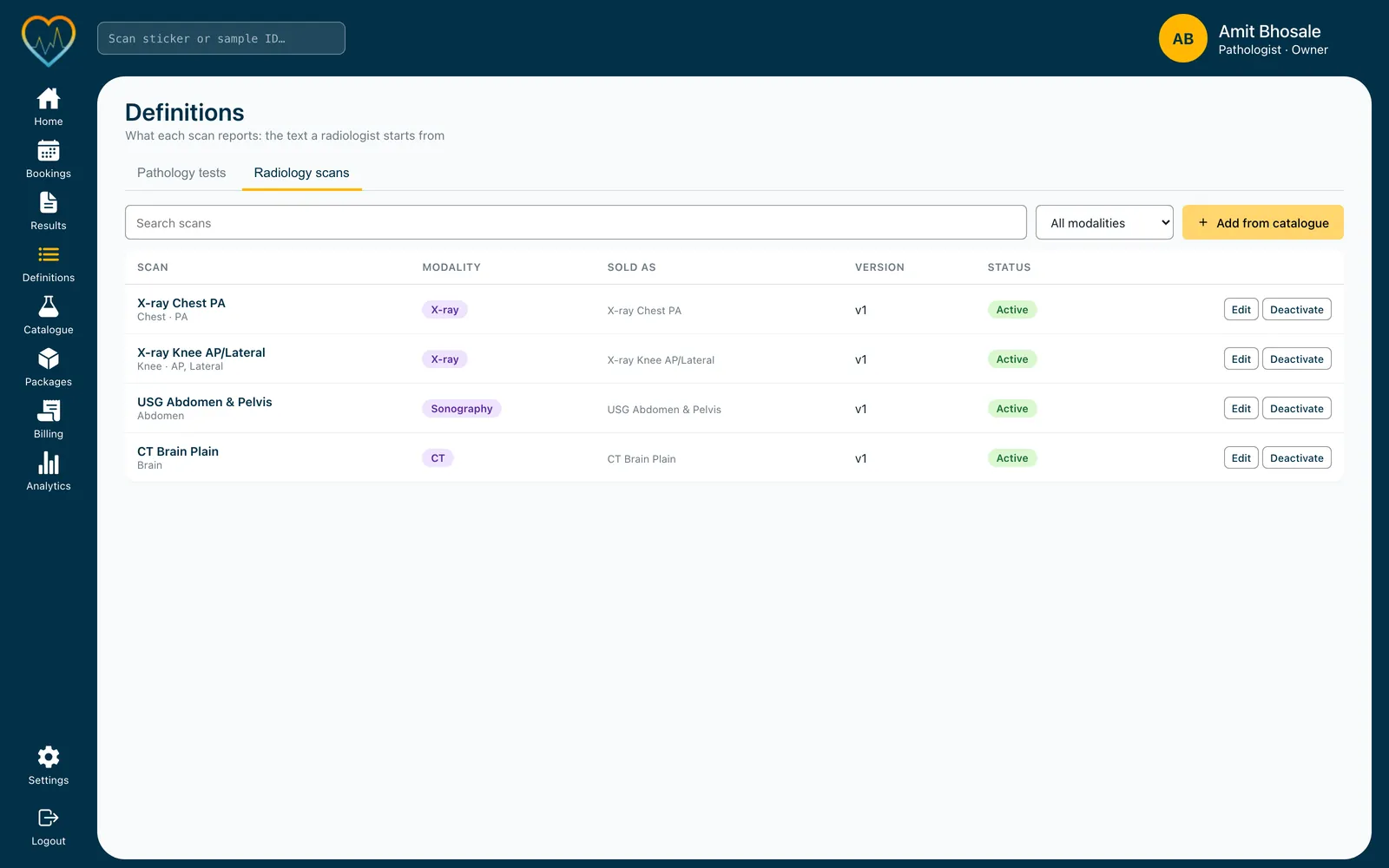
Add scans from the catalogue and edit their wording once. Each template is versioned, and an issued report keeps the version it was written from.
Screens from the demo lab. The patient names are not real.
Book scans like any test. Each scan on a booking becomes its own study, so an X-ray and an ultrasound on one visit are reported and signed separately.
Pick a scan from a ready-made catalogue and get its report boilerplate: indication, technique, findings, impression and recommendation. Edit it once; every report starts from your version.
Marking the scan performed assigns the accession number. Contrast agent, dose and route, and safety notes, are recorded on the study.
A report moves from draft to verified to published. Only a signatory can verify and publish it, and it carries the radiologist's name, qualification and registration number.
A published report is never edited. A correction is added as a dated, attributed addendum, and the report and its PDF are reissued as the next revision.
Publishing files the report into the patient's records with its PDF, alongside their pathology results, so the referring doctor sees both in one place.
Everyone signs in as themselves, so every upload, edit, signature and send is attributed.
| Capability | Front desk | Radiographer | Radiologist | Admin |
|---|---|---|---|---|
| Book, print and send | ✓ | — | ✓ | ✓ |
| Mark scans done and upload images | — | ✓ | — | ✓ |
| Write, sign and publish reports | — | — | ✓ | ✓ |
| Add addenda | — | — | ✓ | ✓ |
| Templates, rooms and branding | — | — | — | ✓ |
X-ray, CT, MRI, ultrasound, Doppler, echo, mammography, DEXA, OPG, PET-CT, nuclear medicine, fluoroscopy and IVP.
Upload a .dcm file or a zip of a series against the study once the scan is marked done. Uploading the same series again is safe; it is not counted twice.
The lab that ran the scan and the doctor who referred the patient. Patients receive the signed report.
Not silently. You add an addendum, which is dated and attributed, and the report is reissued as a new revision.
Yes. You can try Cohezo Health free on your own practice before you decide. Request a demo on WhatsApp and we'll set up your trial.
Pricing depends on your practice: how many doctors and branches you have, and which modules you need. Message us for a quote. Onboarding is free on every plan.
No. Cohezo Health is fully online, so you need an internet connection. There is nothing to install: it runs in any browser, and there are mobile apps too.
On cloud servers in India. Your data is encrypted and backed up securely, and everyone signs in with their own login, so every change is attributed to the person who made it.
Yes. On request we export your data as a JSON dump or as CSV files. If you ever cancel, you choose whether we export your data for you or delete it.
Yes. If you can export your data from your current software, we'll migrate it into Cohezo Health for you. Onboarding is free.
Request a demo on WhatsApp and we'll set up a free trial with your own scans. Onboarding is free.